Full Screen Panel

*New Feature: Video support for YouTube and Vimeo Links

Style Options

  • Default
  • Fixed Background
  • Fancy

Additional Panel Options  

  • Hide Title: Hides item titles so you can keep the titles in Showtime for your reference but have them not display on the front end. 

Available Item Fields

  • Image (1600px by 1000px)
  • Title
  • Logo
  • Button Link
  • Button Text
  • Body
  • Video Background (YouTube and Vimeo links) supported

Full Screen Panel (Default)

  • Uses 1 item.
  • Supports both images*, YouTube, Vimeo, and muted mp4 background video. 

​​​​​​*Do not include text on the image itself as the image will crop based on browser width and height. Use the Item Title and Body fields to ensure text is viewable on all device sizes. 

Title Goes Here

Pellentesque nibh sapien, congue in purus ut, mattis commodo ante. Duis dictum dolor in mi molestie laoreet at dapibus arcu. Nullam sit amet hendrerit ligula. Duis maximus purus vel ante volutpat mollis. Suspendisse suscipit eros vitae magna pharetra, non accumsan tellus consectetur. Quisque varius, enim sit amet aliquam laoreet, libero nibh dapibus nulla, non fringilla lectus nisl vel massa. Integer a purus libero.

Button 1Button 2Button 3

button text

Intro Panel (Default) w/Video (MP4, YouTube, or Vimeo)

New Feature: Video support for YouTube and Vimeo Links

  • Uses 1 Item.

  • When you set the Full Screen panel style to default, you can display a muted background video.

  • For MP4s, You’ll use the Add Media button next to "Image" to add your MP4. It's ok if you haven't uploaded the mp4 to the system yet, you will be able to do so from the media gallery after you've clicked Add Media. Try to keep your MP4 file size small to maintain a fast page load speed.

  • YouTube and Vimeo links are supported through the Video Background field.

  • Videos will autoplay without audio for accessibility.

​​​​​​*Do not include text on the image itself as the image will crop based on browser width and height. Use the Item Title and Body fields to ensure text is viewable on all device sizes. 

Title Goes Here

Full Screen Panel (Default) w/Title Hidden & a Logo 

  • Uses 1 Item.

  • Supports both images* and muted mp4 background video. 

  • Use the Add Media button below "Logo (optional)" to add your logo to the intro panel background. It's ok if you haven't uploaded it to the system yet, you will be able to do so from the media gallery after you've clicked Add Media. 

​​​​​​*Do not include text on the image itself as the image will crop based on browser width and height. Use the Item Title and Body fields to ensure text is viewable on all device sizes. 

Title Goes Here

Intro Panel (Fixed Background) 

  • Uses 1 Item.

  • Supports images* only. 

  • The background image does not move while the user scrolls.

​​​​​​*Do not include text on the image itself as the image will crop based on browser width and height. Use the Item Title and Body fields to ensure text is viewable on all device sizes. 

Title Goes Here

Intro Panel (Fancy) 

  • Use for multiple items. 

  • Supports images* only. 

  • The background fades to the next image as the text scrolls. 

​​​​​​*Do not include text on the image itself as the image will crop based on browser width and height. Use the Item Title and Body fields to ensure text is viewable on all device sizes. 

Vivamus ac tincidunt purus. Ut urna leo, blandit viverra pretium id, venenatis consequat est. Maecenas faucibus a justo id finibus. Aliquam eget feugiat purus. Morbi sed ligula eros. Donec mi est, egestas in mi at, varius semper dolor. Maecenas ac ex scelerisque, posuere quam in, feugiat nisl. In vel tortor vel magna vulputate condimentum quis et lacus.

Morbi sed ligula eros. Donec mi est, egestas in mi at, varius semper dolor. Maecenas ac ex scelerisque, posuere quam in, feugiat nisl. In vel tortor vel magna vulputate condimentum quis et lacus. Vivamus ac tincidunt purus. Ut urna leo, blandit viverra pretium id, venenatis consequat est. Maecenas faucibus a justo id finibus. Aliquam eget feugiat purus.

Vivamus ac tincidunt purus. Ut urna leo, blandit viverra pretium id, venenatis consequat est. Maecenas faucibus a justo id finibus. Aliquam eget feugiat purus. Morbi sed ligula eros. Donec mi est, egestas in mi at, varius semper dolor. Maecenas ac ex scelerisque, posuere quam in, feugiat nisl. In vel tortor vel magna vulputate condimentum quis et lacus.

Grid Panel

Style Options

  • Default
  • Carousel

Available Item Fields

  • Image (410px by 245px)
  • Title
  • Subtitle
  • URL
  • Button Text
     

Grid Panel (Default) 

  • Use 3 items minimum (If you use less than 3 the panel will not look nice on desktop)
  • If a URL is entered the whole item square will be clickable.
  • On tablet/mobile items will stack.
     

Grid Panel (Carousel)

  • Use more than 3 items
  • If a URL is entered the whole item square will be clickable.
  • On desktop adds arrows to the left and right for the user to toggle through items.
  • On tablet/mobile the user can swipe left and right through the items.

Title Goes Here

Subtitle Goes Here

Title Goes Here

Subtitle Goes Here

Spotlight Panel

*New Features: 4-Across and 5-Across options

Style Options

  • Large
  • Wide
  • Grid
  • 4-Across
  • 5-Across

Available Item Fields

  • Image (820px by 490px)
  • Title
  • Body
  • URL
  • Button Text
     

Spotlight Panel (Large) 

  • Use 2 items minimum (If you use less than 2 the panel will not look nice on desktop)
  • Displays 2 items across on desktop.

Spotlight Panel (Wide)

  • Displays 1 item across on desktop.

Spotlight with Image, Link, and Description

In this format, the image, title, and button will be clickable.

You can include bulleted and numbered lists within a spotlight and even a link within the text.

  • Bulleted Item 1
  • Bulleted Item 2
  • Bulleted Item 3
  1. Numbered Item 1
  2. Numbered Item 2
  3. Numbered Item 3
Sample Button Text

Spotlight with Image, Description, and NO Link

You don't have to include a link. If you don't, no button will appear.

Spotlight with description, link, and NO image

If you don't have an image, but still like the way the spotlight list looks, that's fine! Go ahead and create your spotlight without an image. In this case, just the title and button will be clickable. 

More Info

Spotlight Panel (Grid)

  • Use 3 items minimum (If you use less than 3 the panel will not look nice on desktop)
  • Displays 3 items across on desktop.

Title Goes Here

Lorem ipsum dolor sit amet, consectetur adipiscing elit. Sed condimentum ornare lacinia. Integer posuere quis libero sit amet pulvinar. Donec quis aliquet turpis, accumsan pellentesque massa. Pellentesque nec tortor eu orci cursus rutrum. In at erat nulla. Donec sed condimentum magna, eu lacinia erat. Vivamus volutpat id mi nec eleifend.

Sample Button Text

Title Goes Here

Lorem ipsum dolor sit amet, consectetur adipiscing elit. Sed condimentum ornare lacinia. Integer posuere quis libero sit amet pulvinar. Donec quis aliquet turpis, accumsan pellentesque massa. Pellentesque nec tortor eu orci cursus rutrum. In at erat nulla. Donec sed condimentum magna, eu lacinia erat. Vivamus volutpat id mi nec eleifend.

Sample Button Text

Title Goes Here

Lorem ipsum dolor sit amet, consectetur adipiscing elit. Sed condimentum ornare lacinia. Integer posuere quis libero sit amet pulvinar. Donec quis aliquet turpis, accumsan pellentesque massa. Pellentesque nec tortor eu orci cursus rutrum. In at erat nulla. Donec sed condimentum magna, eu lacinia erat. Vivamus volutpat id mi nec eleifend.

Sample Button Text

Spotlight Panel (4 Across)

New Feature

  • Use 4 items minimum (If you use less than 4, the panel will not look nice on desktop)
  • Displays 4 items across on desktop.

Title Goes Here

Lorem ipsum dolor sit amet, consectetur adipiscing elit. Sed condimentum ornare lacinia.

Sample Button Text

Title Goes Here

Lorem ipsum dolor sit amet, consectetur adipiscing elit. Sed condimentum ornare lacinia.

Sample Button Text

Title Goes Here

Lorem ipsum dolor sit amet, consectetur adipiscing elit. Sed condimentum ornare lacinia.

Sample Button Text

Title Goes Here

Lorem ipsum dolor sit amet, consectetur adipiscing elit. Sed condimentum ornare lacinia.

Sample Button Text

Spotlight Panel (5 Across)

New Feature

  • Use 5 items minimum (If you use less than 5, the panel will not look nice on desktop)
  • Displays 5 items across on desktop.

Title Goes Here

Lorem ipsum dolor sit amet, consectetur adipiscing elit. Sed condimentum ornare lacinia.

Sample Button Text

Title Goes Here

Lorem ipsum dolor sit amet, consectetur adipiscing elit. Sed condimentum ornare lacinia.

Sample Button Text

Title Goes Here

Lorem ipsum dolor sit amet, consectetur adipiscing elit. Sed condimentum ornare lacinia.

Sample Button Text

Title Goes Here

Lorem ipsum dolor sit amet, consectetur adipiscing elit. Sed condimentum ornare lacinia.

Sample Button Text

Title Goes Here

Lorem ipsum dolor sit amet, consectetur adipiscing elit. Sed condimentum ornare lacinia.

Sample Button Text

Full Width Panel

*New Feature: Video support for YouTube and Vimeo Links

Style Options

  • No style options display as it is just default. 

Additional Panel Options

  • Is Carousel?: Select to have the panel carousel through multiple items.  
  • Hide Title: Hides item titles so you can keep the titles in Showtime for your reference but have them not display on the front end. 
  • Show Text On Hover: Instead of the Title, Body Text, and Button displaying automatically, they appear on hover. ​

Available Item Fields

  • Image (1200px by 700px)
  • Title
  • URL
  • Body
  • Button Text
  • Video Background (YouTube and Vimeo links) supported

Full Width Panel w/Carousel

  • Check Is Carousel? under panel options if using more than 2 items. 
  • Max of 4 items in carousel. 

Title Goes Here

Lorem ipsum dolor sit amet, consectetur adipiscing elit. Mauris pharetra nulla quis blandit sollicitudin. Pellentesque suscipit, odio laoreet vulputate efficitur, nulla velit mattis magna, non fringilla justo lacus ut orci. Ut aliquam, elit nec imperdiet lacinia, leo erat maximus eros, a imperdiet quam sapien eu ante. Praesent iaculis neque ac dolor scelerisque tristique.

Title Goes Here

Lorem ipsum dolor sit amet, consectetur adipiscing elit. Mauris pharetra nulla quis blandit sollicitudin. Pellentesque suscipit, odio laoreet vulputate efficitur, nulla velit mattis magna, non fringilla justo lacus ut orci. Ut aliquam, elit nec imperdiet lacinia, leo erat maximus eros, a imperdiet quam sapien eu ante. Praesent iaculis neque ac dolor scelerisque tristique.

Title Goes Here

Lorem ipsum dolor sit amet, consectetur adipiscing elit. Mauris pharetra nulla quis blandit sollicitudin. Pellentesque suscipit, odio laoreet vulputate efficitur, nulla velit mattis magna, non fringilla justo lacus ut orci. Ut aliquam, elit nec imperdiet lacinia, leo erat maximus eros, a imperdiet quam sapien eu ante. Praesent iaculis neque ac dolor scelerisque tristique.

Title Goes Here

Lorem ipsum dolor sit amet, consectetur adipiscing elit. Mauris pharetra nulla quis blandit sollicitudin. Pellentesque suscipit, odio laoreet vulputate efficitur, nulla velit mattis magna, non fringilla justo lacus ut orci. Ut aliquam, elit nec imperdiet lacinia, leo erat maximus eros, a imperdiet quam sapien eu ante. Praesent iaculis neque ac dolor scelerisque tristique.

Full Width Panel w/Title Hidden

  • Check Hide Title under panel options.
  • Leave Use Carousel? unchecked to display stacked panels

Lorem ipsum dolor sit amet, consectetur adipiscing elit. Mauris pharetra nulla quis blandit sollicitudin. Pellentesque suscipit, odio laoreet vulputate efficitur, nulla velit mattis magna, non fringilla justo lacus ut orci. Ut aliquam, elit nec imperdiet lacinia, leo erat maximus eros, a imperdiet quam sapien eu ante. Praesent iaculis neque ac dolor scelerisque tristique.

Full Width Panel w/Show Text on Hover

  • Check Show Text on Hover under panel options to have the title, body text, and button display on hover only. 

Title Goes Here

This caption will fade in.

Full Width Panel with Video

New Feature

  • Add a YouTube or Vimeo video link in the Video Background field to display a video in this panel.
  • The video will autoplay without sound for accessibility.

Alternating Panel

*New Features: Video support for YouTube and Vimeo Links | Modal Option

Style Options

  • Default
  • Small
  • Centered Logos
  • Fixed Width
  • Modal

Available Item Fields

  • Image (800px by 800px)
  • Title
  • URL
  • Body
  • Button Text
  • Video Background (YouTube and Vimeo links supported)
  • Read More Text (for Modal option)

Alternating Panel (Default) 

  • The first item displays the image* on the left and the text on the right. The next item displays in the reverse order and so on.

​​​​​​*Do not include text on the image itself as the image will crop based on browser width and height. Use the Item Title and Body fields to ensure text is viewable on all device sizes. 

Title Goes Here

Lorem ipsum dolor sit amet, consectetur adipiscing elit. Mauris pharetra nulla quis blandit sollicitudin. Pellentesque suscipit, odio laoreet vulputate efficitur, nulla velit mattis magna, non fringilla justo lacus ut orci. Ut aliquam, elit nec imperdiet lacinia, leo erat maximus eros, a imperdiet quam sapien eu ante. Praesent iaculis neque ac dolor scelerisque tristique. 

  • Lorem ipsum dolor sit amet,
  • consectetur adipiscing elit
  • neque ac dolor scelerisque tristique
More Info

Title Goes Here

Title Goes Here

Lorem ipsum dolor sit amet, consectetur adipiscing elit.

Mauris pharetra nulla quis blandit sollicitudin. Pellentesque suscipit, odio laoreet vulputate efficitur, nulla velit mattis magna, non fringilla justo lacus ut orci. Ut aliquam, elit nec imperdiet lacinia, leo erat maximus eros, a imperdiet quam sapien eu ante. Praesent iaculis neque ac dolor scelerisque tristique.

Alternating Panel (Small) 

  • The first item displays the image* on the left and the text on the right. The next item displays in the reverse order and so on.
  • Image height is shorter than the default alternating panel. 

​​​​​​*Do not include text on the image itself as the image will crop based on browser width and height. Use the Item Title and Body fields to ensure text is viewable on all device sizes. 

Title Goes Here

Lorem ipsum dolor sit amet, consectetur adipiscing elit. Aenean euismod, metus quis volutpat varius, mi erat elementum elit, sollicitudin congue eros mauris sed mauris. Nullam eget nunc ultrices, fermentum sem eu, finibus nisi. Etiam interdum facilisis orci vitae bibendum. Pellentesque id finibus magna. Fusce ante odio, commodo eu libero nec, placerat maximus mauris.

Title Goes Here

Ut a dolor turpis. Sed luctus pellentesque semper. Proin nec eleifend magna. Donec cursus, justo eget viverra finibus, metus leo congue magna, sit amet tincidunt orci metus et lectus. Sed faucibus libero justo, non vehicula mi pretium nec. Nullam sed elit mi. Phasellus massa metus, consectetur vel sagittis et, posuere et tellus. Fusce blandit felis id risus fermentum iaculis.

Alternating Panel (Centered Logos) 

  • The first item displays the logo centered on the left and the text on the right. The next item displays in the reverse order and so on.

Title Goes Here

Title Goes Here

Lorem ipsum dolor sit amet, consectetur adipiscing elit. Aenean euismod, metus quis volutpat varius, mi erat elementum elit, sollicitudin congue eros mauris sed mauris. Nullam eget nunc ultrices, fermentum sem eu, finibus nisi. Etiam interdum facilisis orci vitae bibendum. Pellentesque id finibus magna. Fusce ante odio, commodo eu libero nec, placerat maximus mauris.

Alternating Panel (Fixed Width) 

  • The first item displays the image* on the left and the text on the right. The next item displays in the reverse order and so on.
  • The items remain centered on the page in desktop view. 
  • Image height adjusts based on coordinating text length.

​​​​​​*Do not include text on the image itself as the image will crop based on browser width and height. Use the Item Title and Body fields to ensure text is viewable on all device sizes. 

Title Goes Here

Lorem ipsum dolor sit amet, consectetur adipiscing elit. Aenean euismod, metus quis volutpat varius, mi erat elementum elit, sollicitudin congue eros mauris sed mauris. 

Title Goes Here

Lorem ipsum dolor sit amet, consectetur adipiscing elit. Aenean euismod, metus quis volutpat varius, mi erat elementum elit, sollicitudin congue eros mauris sed mauris.

Title Goes Here

Lorem ipsum dolor sit amet, consectetur adipiscing elit. Aenean euismod, metus quis volutpat varius, mi erat elementum elit, sollicitudin congue eros mauris sed mauris.

Title Goes Here

Lorem ipsum dolor sit amet, consectetur adipiscing elit. Aenean euismod, metus quis volutpat varius, mi erat elementum elit, sollicitudin congue eros mauris sed mauris.

Alternating Panel (Video Support) 

New Feature

  • Videos can be used in place of images for any layout of Alternating Panels.
  • MP4s can be uploaded into the Image field.
  • YouTube and Vimeo links are supported through the Video Background field.
  • Images will autoplay without audio for accessibility.

MP4 Video

Vimeo Video

YouTube Video

Alternating Panel (Modal Option) 

New Feature

  • A modal option can be used with Alternating Panels to allow a pop of text and/or images to display.
  • To activate the modal, add text and/or images to the "Read More Text" field.
  • A "Read More" button will automatically display for the user to open up the modal.
  • If the URL field is also filled out, the "Read More" button will display next to the button for the URL field.

This will have a Modal

This Panel will have a model.

Icons Panel

Style Options

  • No style options display as it is just default. 

Additional Panel Options

  • Hide Title: Hides item titles so you can keep the titles in Showtime for your reference but have them not display on the front end. 

Available Item Fields

  • Image (Any Size)
  • Title
  • URL
  • Body

Icons Panel w/7 items

  • You can use any number of items as the icons center up on desktop.

Title Goes Here

Lorem ipsum dolor sit amet, consectetur adipiscing elit. Integer semper interdum tempor.

Title Goes Here

Lorem ipsum dolor sit amet, consectetur adipiscing elit. Integer semper interdum tempor.

Title Goes Here

Lorem ipsum dolor sit amet, consectetur adipiscing elit. Integer semper interdum tempor.

Title Goes Here

Lorem ipsum dolor sit amet, consectetur adipiscing elit. Integer semper interdum tempor.

Title Goes Here

Lorem ipsum dolor sit amet, consectetur adipiscing elit. Integer semper interdum tempor.

Title Goes Here

Lorem ipsum dolor sit amet, consectetur adipiscing elit. Integer semper interdum tempor.

Title Goes Here

Lorem ipsum dolor sit amet, consectetur adipiscing elit. Integer semper interdum tempor.

Icons Panel w/3 items & Titles Hidden

  • Check Hide Title under panel options.
  • Add 3 items. 

Icons Panel w/2 items

  • Add 2 items. 

Title Goes Here

Lorem ipsum dolor sit amet, consectetur adipiscing elit. Integer semper interdum tempor.

Title Goes Here

Lorem ipsum dolor sit amet, consectetur adipiscing elit. Integer semper interdum tempor.

Icons Panel w/3 items

  • Add 3 items. 

Title Goes Here

Lorem ipsum dolor sit amet, consectetur adipiscing elit. Integer semper interdum tempor.

Title Goes Here

Lorem ipsum dolor sit amet, consectetur adipiscing elit. Integer semper interdum tempor.

Title Goes Here

Lorem ipsum dolor sit amet, consectetur adipiscing elit. Integer semper interdum tempor.

Banners Panel

Style Options

  • No style options display as it is just default. 

Additional Panel Options  

  • Hide Title: Hides item titles so you can keep the titles in Showtime for your reference but have them not display on the front end. 

Available Item Fields

  • Image
    • 1 item (1300px by 220px)
    • 2 items (750px by 220px)
    • 3 items (400px by 220px)
  • Title
  • URL
  • Logo

Banners Panel w/1 item

  • Add 1 item
  • If including an image use (1300px by 220px)

Banners Panel w/2 items & Titles Hidden

  • Check Hide Title under panel options.
  • Add 2 items. 
  • If including an image use (750px by 220px for each)

Banners Panel w/3 items

  • Add 3 items. 
  • If including an image use (400px by 220px for each)

Title Goes Here

Subtitle Goes Here

Title Goes Here

Subtitle Goes Here

Title Goes Here

Subtitle Goes Here

Text Only Panel

Style Options

  • Default
  • Centered

Available Item Fields

  • Title (Showtime Use Only. Not visible on Front End)
  • Text

Text Only Panel (Default)

  • Text is Left-Aligned.

Heading 1

Lead-In Paragraph: Write out your text then highlight it. In the text editor, click the STYLES button and choose "lead paragraph."

Heading 2

Normal Font: Bold text italicized text subscript superscript. This is the default for text. When you create a new text item and start typing, this is the text that will appear on the front end of your site unless you choose an alternate text style. You can choose styles by clicking on the Paragraph Format button in the text editor (the first dropdown in from the left, it will say "Normal.") From there, you can choose a heading type or you can choose from various other styles like Lead Paragraph (displayed above), bold, italicized, subscript, superscript, numbered and bulleted lists, or blockquotes, all of which are sampled on this page.


Heading 3

Bulleted and numbered lists can be created in any text block. Simply write out the list of items, highlight them, and then click on the bulleted list icon or the numbered list icon in the text editor. The list will automatically add the numbers/bullets to each item.

  • Bulleted Item 1
  • Bulleted Item 2
  • Bulleted Item 3
  • Bulleted Item 4
  1. Numbered Item 1
  2. Numbered Item 2
  3. Numbered Item 3
  4. Numbered Item 4

Buttons

Create new buttons within text panel items. Type out the word(s) you would like to use as the button text, click on the link icon in the text editor, and fill in the information to create the link. Click on the Advanced tab and in the field labeled "stylesheet class" type the word "button" (without the quotation marks), click ok. It will look like a regular text link within Showtime, but on the front end, it will be styled like a button.

Sample Button

Styled Image Right

casey-horner-1533985-unsplash.jpgPlace your cursor at the start of the paragraph. Click on the Media button and choose your image. Once it appears in the text block, click on the image so it highlights, go to the Styles button in the text editor and choose styled image right. 

Styled Image Left

casey-horner-1533985-unsplash.jpg

Place your cursor at the start of the paragraph. Click on the Media button and choose your image. Once it appears in the text block, click on the image so it highlights, go to the Styles button in the text editor and choose either styled image left or styled image right. 

Text Only Panel (Centered)

  • Text is Centered.

Creating Buttons

Create new buttons within text panel items. Navigate your cursor to the spot where you would like the button to display. Click on the Button button in the text editor. A new menu will appear above your work, prompting you to enter the text (button text) and the URL, and to choose to open in a new window if desired. Click ok to save. 

ButtonAnother Button

Bulleted and numbered lists can be created in any text panel. Simply write out the list of items, highlight them, and click on the bulleted list icon or the numbered list icon in the text editor. The list will automatically add the numbers/bullets to each item.

  • Bulleted Item 1
  • Bulleted Item 2
  • Bulleted Item 3
  • Bulleted Item 4
  1. Numbered Item 1
  2. Numbered Item 2
  3. Numbered Item 3
  4. Numbered Item 4

FAQ List Panel

Style Options

  • No style options display as it is just default. 

Available Item Fields

  • Question
  • Answer

FAQ List Panel Notes

FAQ list panels are a great way to break up text within a page to make it more manageable for the reader. Click edit on the first item and enter a question (does not necessarily have to be a question) then use the free form answer description field for all of the information related to that question. Select the + Add New Item button to add additional FAQ items.

FAQ List Panel

  • FAQ list panels are a great way to break up text within a page to make it more manageable for the reader. Click edit on the first item and enter a question (does not necessarily have to be a question) then use the free form answer description field for all of the information related to that question. Select the + Add New Item button to add additional FAQ items.

Sample Item 1

Sample Answer. Lorem ipsum dolor sit amet, consectetur adipiscing elit. Mauris id augue non mauris volutpat faucibus. Vestibulum varius eget nisl id rhoncus. Suspendisse id consequat justo. Maecenas non tellus convallis, aliquet sapien sed, pharetra quam. Praesent ultrices ac magna nec gravida. Aenean nec sodales sapien, vel consequat mi.
Integer eu porta orci. Class aptent taciti sociosqu ad litora torquent per conubia nostra, per inceptos himenaeos.

Sample Item 2

This is another example. This one includes a link within the text and some lists. 

  • Bulleted Item 1
  • Bulleted Item 2
  • Bulleted Item 3
  1. Numbered Item 1
  2. Numbered Item 2
  3. Numbered Item 3

Link List Panel

Style Options

  • No style options display as it is just default. 

Available Item Fields

  • Title
  • URL
  • Body

Link List Panel Notes

If you have a list of items that you want to link, a link list is a better alternative than simply linking within a text panel. Click edit on the first item. The Title field is where you place the word(s) that represent your link, then enter the link in the URL field. The body field is optional. As shown below, bulleted and numbered lists are supported here as well as links within the text.

HTML Panel

New Panel

This content item allows raw HTML, CSS, and JavaScript code. Content will be rendered directly without modification. 

Note: Use caution with scripts.

Style Options

  • Fixed Width (1180px)
  • Full Width 
{HTML Goes Here}

Spacer Panel

New Panel

  • Small (50px)
  • Medium (100px)
  • Large (200px)

Note: Spacer will add additional space in addition to your existing site spacing

Spacer Small (50px)

Spacer Medium (100px)

Spacer Large (200px)

Events

More Info for Bryan Adams
Friday August 28, 2026
TD Coliseum

Bryan Adams

Roll with the Punches Tour

TD Coliseum
Event Starts 7:30 PM
More Info for Marco Antonio Solis
Saturday August 29, 2026
TD Coliseum

Marco Antonio Solis

TOUR GRATITUD 2026

TD Coliseum
Event Starts 8:00 PM
More Info for Hot Wheels Monster Trucks Live
September 12-13, 2026
TD Coliseum

Hot Wheels Monster Trucks Live

Glow-N-Fire

TD Coliseum
More Info for aespa
Tuesday September 15, 2026
TD Coliseum

aespa

LIVE TOUR – SYNK : COMPLaeXITY – in Hamilton

TD Coliseum
Event Starts 8:00 PM
More Info for Jason Aldean
Thursday September 17, 2026
TD Coliseum

Jason Aldean

Songs About Us Tour 2026

TD Coliseum
Event Starts 7:30 PM
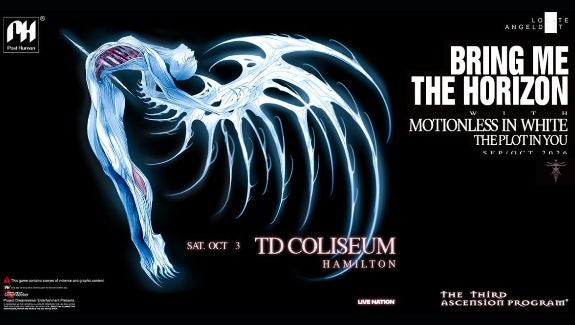
More Info for BRING ME THE HORIZON
Saturday October 3, 2026
TD Coliseum

BRING ME THE HORIZON

THE THIRD ASCENSION PROGRAM

TD Coliseum
Event Starts 7:00 PM
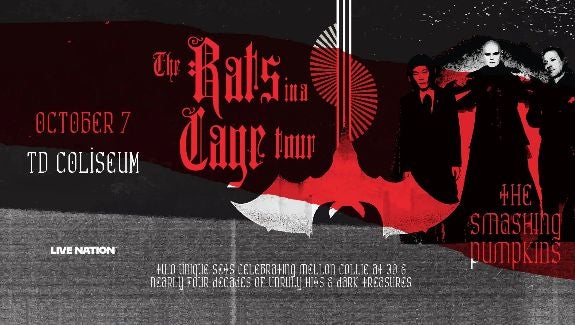
More Info for Smashing Pumpkins
Wednesday October 7, 2026
TD Coliseum

Smashing Pumpkins

The Rats In A Cage Tour

TD Coliseum
Event Starts 8:00 PM
More Info for HAMILTON HAMMERS VS. TORONTO MARLIES
Friday October 9, 2026
TD Coliseum

HAMILTON HAMMERS VS. TORONTO MARLIES

HOME OPENER

TD Coliseum
Event Starts 7:00 PM
More Info for HAMILTON HAMMERS VS. TORONTO MARLIES
Sunday October 11, 2026
TD Coliseum

HAMILTON HAMMERS VS. TORONTO MARLIES

TD Coliseum
Event Starts 3:00 PM
More Info for Jimmy Carr
Thursday October 15, 2026
TD Coliseum

Jimmy Carr

LAUGHS FUNNY

TD Coliseum
Event Starts 7:30 PM
More Info for Bryan Adams
Low Ticket Alert
Friday August 28, 2026
TD Coliseum

Bryan Adams

Roll with the Punches Tour

TD Coliseum
Event Starts 7:30 PM
More Info for Marco Antonio Solis
Saturday August 29, 2026
TD Coliseum

Marco Antonio Solis

TOUR GRATITUD 2026

TD Coliseum
Event Starts 8:00 PM
More Info for Hot Wheels Monster Trucks Live
September 12-13, 2026
TD Coliseum

Hot Wheels Monster Trucks Live

Glow-N-Fire

TD Coliseum
More Info for aespa
Tuesday September 15, 2026
TD Coliseum

aespa

LIVE TOUR – SYNK : COMPLaeXITY – in Hamilton

TD Coliseum
Event Starts 8:00 PM
More Info for Jason Aldean
Thursday September 17, 2026
TD Coliseum

Jason Aldean

Songs About Us Tour 2026

TD Coliseum
Event Starts 7:30 PM
More Info for BRING ME THE HORIZON
Saturday October 3, 2026
TD Coliseum

BRING ME THE HORIZON

THE THIRD ASCENSION PROGRAM

TD Coliseum
Event Starts 7:00 PM
More Info for Smashing Pumpkins
Low Ticket Alert
Wednesday October 7, 2026
TD Coliseum

Smashing Pumpkins

The Rats In A Cage Tour

TD Coliseum
Event Starts 8:00 PM
More Info for HAMILTON HAMMERS VS. TORONTO MARLIES
Friday October 9, 2026
TD Coliseum

HAMILTON HAMMERS VS. TORONTO MARLIES

HOME OPENER

TD Coliseum
Event Starts 7:00 PM
More Info for HAMILTON HAMMERS VS. TORONTO MARLIES
Sunday October 11, 2026
TD Coliseum

HAMILTON HAMMERS VS. TORONTO MARLIES

TD Coliseum
Event Starts 3:00 PM
More Info for Jimmy Carr
Thursday October 15, 2026
TD Coliseum
OUTBACK PRESENTS

Jimmy Carr

LAUGHS FUNNY

TD Coliseum
Event Starts 7:30 PM
More Info for HAMILTON HAMMERS VS. ROCHESTER AMERICANS
Friday October 16, 2026
TD Coliseum

HAMILTON HAMMERS VS. ROCHESTER AMERICANS

TD Coliseum
Event Starts 7:00 PM
More Info for HAMILTON HAMMERS VS. SYRACUSE CRUNCH
Sunday October 18, 2026
TD Coliseum

HAMILTON HAMMERS VS. SYRACUSE CRUNCH

TD Coliseum
Event Starts 3:00 PM
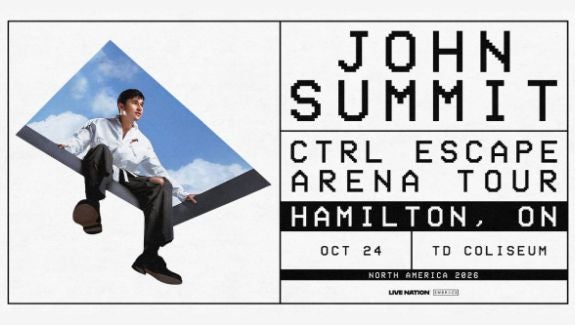
More Info for John Summit
Saturday October 24, 2026
TD Coliseum

John Summit

CTRL ESCAPE ARENA TOUR

TD Coliseum
Event Starts 7:00 PM
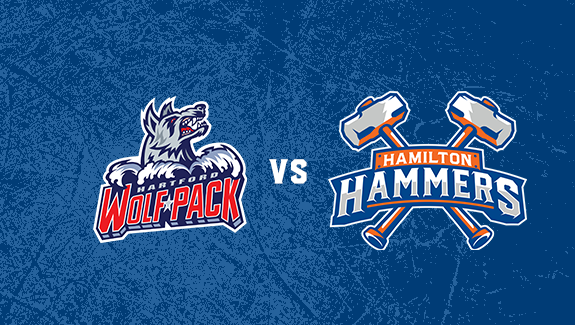
More Info for HAMILTON HAMMERS VS. HARTFORD WOLF PACK
Thursday October 29, 2026
TD Coliseum

HAMILTON HAMMERS VS. HARTFORD WOLF PACK

TD Coliseum
Event Starts 7:00 PM
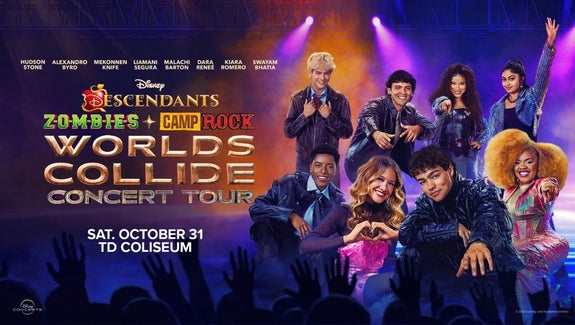
More Info for Disney Worlds Collide Concert Tour
Just Announced
Saturday October 31, 2026
TD Coliseum

Disney Worlds Collide Concert Tour

Disney Descendants, ZOMBIES & Camp Rock: Worlds Collide Concert Tour

TD Coliseum
Event Starts 7:00 PM
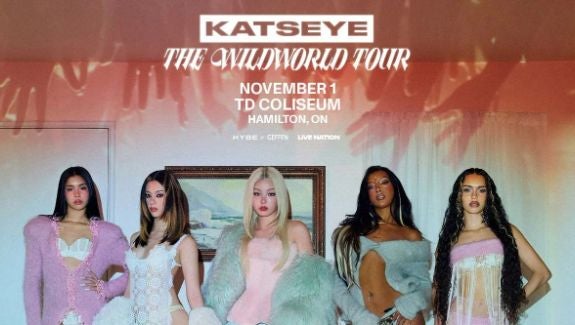
More Info for Katseye
Sold Out
Sunday November 1, 2026
TD Coliseum

Katseye

THE WILDWORLD TOUR

TD Coliseum
Event Starts 8:00 PM
More Info for HAMILTON HAMMERS VS. TORONTO MARLIES
Wednesday November 4, 2026
TD Coliseum

HAMILTON HAMMERS VS. TORONTO MARLIES

TD Coliseum
Event Starts 7:00 PM
More Info for HAMILTON HAMMERS VS. PROVIDENCE BRUINS
Friday November 6, 2026
TD Coliseum

HAMILTON HAMMERS VS. PROVIDENCE BRUINS

TD Coliseum
Event Starts 7:00 PM
More Info for HAMILTON HAMMERS VS. LEHIGH VALLEY PHANTOMS
Saturday November 7, 2026
TD Coliseum

HAMILTON HAMMERS VS. LEHIGH VALLEY PHANTOMS

TD Coliseum
Event Starts 7:00 PM
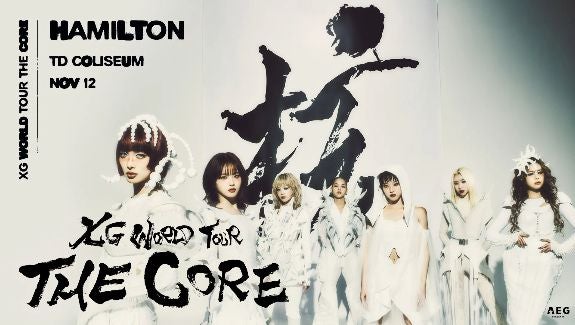
More Info for XG
Just Announced
Thursday November 12, 2026
TD Coliseum

XG

XG WORLD TOUR: THE CORE

TD Coliseum
Event Starts 8:00 PM
More Info for HAMILTON HAMMERS VS. BELLEVILLE SENETORS
Friday November 20, 2026
TD Coliseum

HAMILTON HAMMERS VS. BELLEVILLE SENETORS

TD Coliseum
Event Starts 7:00 PM
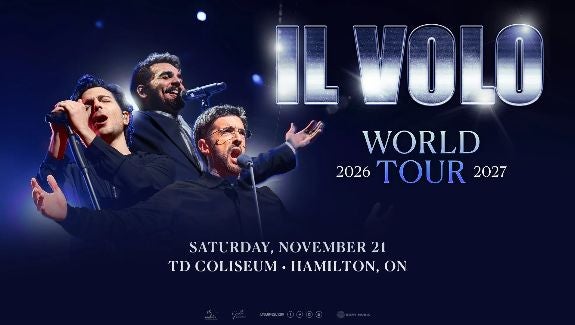
More Info for Il Volo
Saturday November 21, 2026
TD Coliseum

Il Volo

World Tour

TD Coliseum
Event Starts 8:00 PM
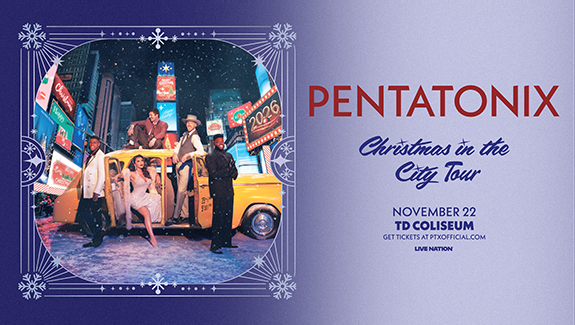
More Info for Pentatonix
Just Announced
Sunday November 22, 2026
TD Coliseum

Pentatonix

Christmas in the City Tour

TD Coliseum
Event Starts 6:00 PM
More Info for HAMILTON HAMMERS VS. SYRACUSE CRUNCH
Wednesday November 25, 2026
TD Coliseum

HAMILTON HAMMERS VS. SYRACUSE CRUNCH

TD Coliseum
Event Starts 11:00 AM
More Info for HAMILTON HAMMERS VS. BELLEVILLE SENATORS
Friday December 11, 2026
TD Coliseum

HAMILTON HAMMERS VS. BELLEVILLE SENATORS

TD Coliseum
Event Starts 7:00 PM
More Info for HAMILTON HAMMERS VS. TORONTO MARLIES
Saturday December 12, 2026
TD Coliseum

HAMILTON HAMMERS VS. TORONTO MARLIES

TD Coliseum
Event Starts 5:00 PM
More Info for Andrea Bocelli
Low Ticket Alert
Saturday December 19, 2026
TD Coliseum

Andrea Bocelli

Romanza 30th Anniversary World Tour

TD Coliseum
Event Starts 8:00 PM
More Info for HAMILTON HAMMERS VS. LAVAL ROCKET
Sunday December 20, 2026
TD Coliseum

HAMILTON HAMMERS VS. LAVAL ROCKET

TD Coliseum
Event Starts 3:00 PM
More Info for HAMILTON HAMMERS VS. UTICA COMETS
Tuesday December 29, 2026
TD Coliseum

HAMILTON HAMMERS VS. UTICA COMETS

TD Coliseum
Event Starts 7:00 PM
More Info for HAMILTON HAMMERS VS. SYRACUSE CRUNCH
Wednesday December 30, 2026
TD Coliseum

HAMILTON HAMMERS VS. SYRACUSE CRUNCH

TD Coliseum
Event Starts 7:00 PM
More Info for HAMILTON HAMMERS VS. BELLEVILLE SENATORS
Saturday January 2, 2027
TD Coliseum

HAMILTON HAMMERS VS. BELLEVILLE SENATORS

TD Coliseum
Event Starts 7:00 PM
More Info for HAMILTON HAMMERS VS. LAVAL ROCKET
Wednesday January 6, 2027
TD Coliseum

HAMILTON HAMMERS VS. LAVAL ROCKET

TD Coliseum
Event Starts 7:00 PM
More Info for HAMILTON HAMMERS VS. UTICA COMETS
Saturday January 9, 2027
TD Coliseum

HAMILTON HAMMERS VS. UTICA COMETS

TD Coliseum
Event Starts 7:00 PM
More Info for HAMILTON HAMMERS VS. CLEVELAND MONSTERS
Wednesday January 13, 2027
TD Coliseum

HAMILTON HAMMERS VS. CLEVELAND MONSTERS

TD Coliseum
Event Starts 7:00 PM
More Info for HAMILTON HAMMERS VS. CLEVELAND MONSTERS
Saturday January 23, 2027
TD Coliseum

HAMILTON HAMMERS VS. CLEVELAND MONSTERS

TD Coliseum
Event Starts 5:00 PM
More Info for HAMILTON HAMMERS VS. BELLEVILLE SENATORS
Sunday January 24, 2027
TD Coliseum

HAMILTON HAMMERS VS. BELLEVILLE SENATORS

TD Coliseum
Event Starts 5:00 PM
More Info for HAMILTON HAMMERS VS. BELLEVILLE SENATORS
Saturday January 30, 2027
TD Coliseum

HAMILTON HAMMERS VS. BELLEVILLE SENATORS

TD Coliseum
Event Starts 5:00 PM
More Info for HAMILTON HAMMERS VS. ROCHESTER AMERICANS
Sunday January 31, 2027
TD Coliseum

HAMILTON HAMMERS VS. ROCHESTER AMERICANS

TD Coliseum
Event Starts 3:00 PM
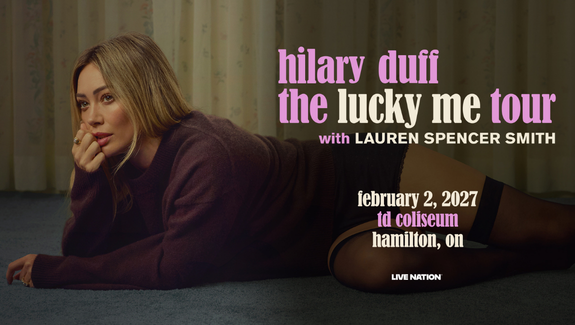
More Info for Hilary Duff
Low Ticket Alert
Tuesday February 2, 2027
TD Coliseum

Hilary Duff

the lucky me tour

TD Coliseum
Event Starts 7:30 PM
More Info for HAMILTON HAMMERS VS. ABBOTSFORD CANUCKS
Thursday February 4, 2027
TD Coliseum

HAMILTON HAMMERS VS. ABBOTSFORD CANUCKS

TD Coliseum
Event Starts 5:00 PM
More Info for HAMILTON HAMMERS VS. ABBOTSFORD CANUCKS
Saturday February 6, 2027
TD Coliseum

HAMILTON HAMMERS VS. ABBOTSFORD CANUCKS

TD Coliseum
Event Starts 4:00 PM
More Info for HAMILTON HAMMERS VS. SPRINGFIELD THUNDERBIRDS
Saturday February 13, 2027
TD Coliseum

HAMILTON HAMMERS VS. SPRINGFIELD THUNDERBIRDS

TD Coliseum
Event Starts 5:00 PM
More Info for HAMILTON HAMMERS VS. UTICA COMETS
Monday February 15, 2027
TD Coliseum

HAMILTON HAMMERS VS. UTICA COMETS

TD Coliseum
Event Starts 2:00 PM
More Info for HAMILTON HAMMERS VS. GRAND RAPIDS GRIFFINS
Friday February 19, 2027
TD Coliseum

HAMILTON HAMMERS VS. GRAND RAPIDS GRIFFINS

TD Coliseum
Event Starts 7:00 PM
More Info for HAMILTON HAMMERS VS. GRAND RAPIDS GRIFFINS
Saturday February 20, 2027
TD Coliseum

HAMILTON HAMMERS VS. GRAND RAPIDS GRIFFINS

TD Coliseum
Event Starts 5:00 PM
More Info for HAMILTON HAMMERS VS. ROCHESTER AMERICANS
Saturday February 27, 2027
TD Coliseum

HAMILTON HAMMERS VS. ROCHESTER AMERICANS

TD Coliseum
Event Starts 5:00 PM
More Info for HAMILTON HAMMERS VS. CLEVELAND MONSTERS
Wednesday March 3, 2027
TD Coliseum

HAMILTON HAMMERS VS. CLEVELAND MONSTERS

TD Coliseum
Event Starts 11:00 AM
More Info for HAMILTON HAMMERS VS. HERSHEY BEARS
Wednesday March 17, 2027
TD Coliseum

HAMILTON HAMMERS VS. HERSHEY BEARS

TD Coliseum
Event Starts 7:00 PM
More Info for HAMILTON HAMMERS VS. WILKES-BARRE/ SCRANTON PENGUINS
Friday March 19, 2027
TD Coliseum

HAMILTON HAMMERS VS. WILKES-BARRE/ SCRANTON PENGUINS

TD Coliseum
Event Starts 7:00 PM
More Info for HAMILTON HAMMERS VS. TORONTO MARLIES
Saturday March 27, 2027
TD Coliseum

HAMILTON HAMMERS VS. TORONTO MARLIES

TD Coliseum
Event Starts 5:00 PM
More Info for HAMILTON HAMMERS VS. LAVAL ROCKET
Thursday April 8, 2027
TD Coliseum

HAMILTON HAMMERS VS. LAVAL ROCKET

TD Coliseum
Event Starts 7:00 PM
More Info for HAMILTON HAMMERS VS. LAVAL ROCKET
Saturday April 10, 2027
TD Coliseum

HAMILTON HAMMERS VS. LAVAL ROCKET

TD Coliseum
Event Starts 3:00 PM

Visitor Guide

Sample Hotel

5727 Westpark Drive
Charlotte, North Carolina 28217
Phone: (910) 555 - 0123

Lorem ipsum dolor sit amet, consectetur adipiscing elit. Aenean semper elit purus, vitae volutpat enim fermentum vitae. Curabitur mattis ex id consectetur finibus. Morbi sed dolor ligula.

Sample Hotel - No link, no image

5727 Canoga Avenue
Los Angeles, California 91367

Test description, link.

  1. test
  2. test
  • test
  • test

Map

Slideshow

Taylor Swift - Cardigan
More Info for Bryan Adams
Low Ticket Alert
Friday August 28, 2026
TD Coliseum

Bryan Adams

Roll with the Punches Tour

TD Coliseum
Event Starts 7:30 PM
More Info for Marco Antonio Solis
Saturday August 29, 2026
TD Coliseum

Marco Antonio Solis

TOUR GRATITUD 2026

TD Coliseum
Event Starts 8:00 PM
More Info for Hot Wheels Monster Trucks Live
September 12-13, 2026
TD Coliseum

Hot Wheels Monster Trucks Live

Glow-N-Fire

TD Coliseum
More Info for aespa
Tuesday September 15, 2026
TD Coliseum

aespa

LIVE TOUR – SYNK : COMPLaeXITY – in Hamilton

TD Coliseum
Event Starts 8:00 PM
More Info for Jason Aldean
Thursday September 17, 2026
TD Coliseum

Jason Aldean

Songs About Us Tour 2026

TD Coliseum
Event Starts 7:30 PM
More Info for BRING ME THE HORIZON
Saturday October 3, 2026
TD Coliseum

BRING ME THE HORIZON

THE THIRD ASCENSION PROGRAM

TD Coliseum
Event Starts 7:00 PM